
Key points
This article explains a 91club India topic with safety checks, responsible gaming reminders and no guaranteed-result claims.
Practical checks
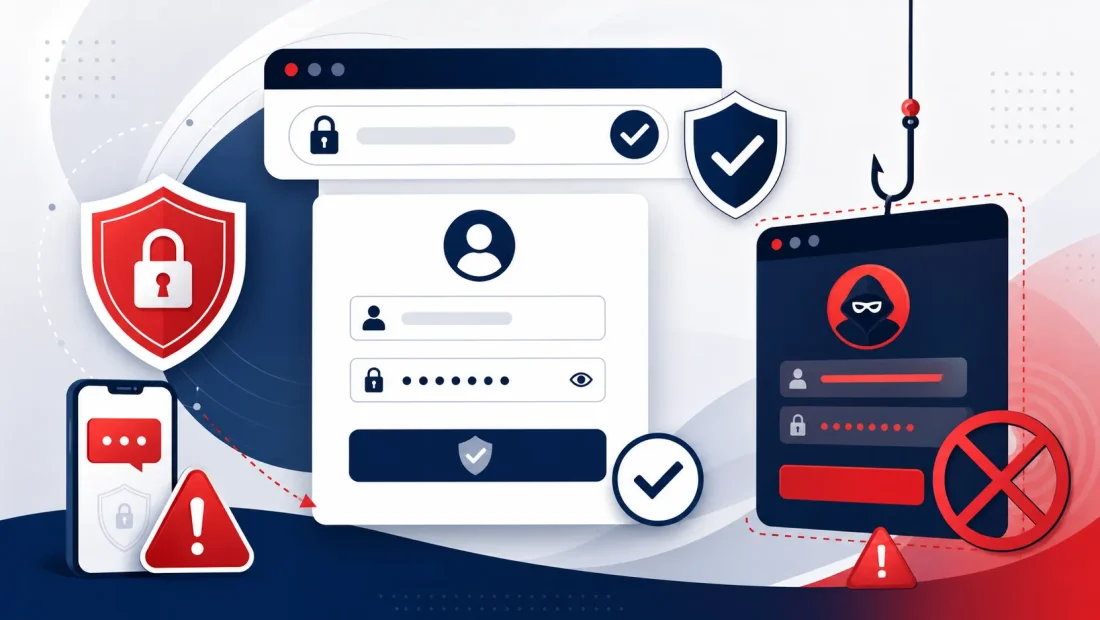
Many users search for 91club login when they cannot find the right access point, have a password problem or want to use a mobile browser. A login page is also where phishing risk is highest, because fake links try to collect passwords, OTPs or payment details. This article gives practical checks for 18+ Indian users before entering account information anywhere.
URL and HTTPS Checks
Before using any login page, look at the browser address bar. The page should use HTTPS and the domain should match what you intended to visit. A copied link from Telegram, WhatsApp, a short URL or an unknown message can lead to a fake page that looks similar. Do not log in only because the logo or colour appears familiar. Check spelling, subdomains and unexpected redirects carefully.
Password and OTP Safety
A strong password should be unique and difficult to guess. Do not reuse passwords from email, UPI apps or banking services. OTP is a one-time security code and should never be shared with another person, even if they claim to be support. If a login page asks for repeated OTPs, unusual permissions or remote access to your device, close it and verify the source.
Common Login Issues
Login can fail because of a wrong password, expired OTP, captcha mismatch, browser cache, poor mobile network, account lock or a page maintenance issue. Try one simple correction at a time. Clear cache only if needed, use a stable connection and avoid too many failed attempts. If recovery is available, use the platform route instead of asking strangers to reset the account.
Public Device Warning
Avoid logging in from shared phones, cyber cafe computers or public devices. If there is no alternative, do not save the password, do not keep the session logged in and clear browser data after use. Anyone with device access may view saved passwords or session cookies. Account safety is more important than quick access.
Practical Checklist
- Confirm the URL before entering your password.
- Use HTTPS and avoid suspicious redirects.
- Never share OTP, captcha or password details.
- Do not save login on public devices.
- Use account recovery only through verified page flows.
- Stop if a page promises certain winnings or special access.
Frequently Asked Questions
Why does login fail?
Common reasons include wrong password, delayed OTP, captcha error, weak network, browser cache or account restrictions. Check one cause at a time.
Can an agent fix my login?
Do not give your password or OTP to an agent. Use only the account recovery route shown inside the platform.
Should I use saved passwords?
A password manager can be useful on your own device, but do not save credentials on public or shared devices.
Final Safety Note
This article is for general information only. It does not provide legal, financial or gaming advice and does not guarantee winnings, income, bonus approval or successful withdrawals. Online gaming and real-money features can involve financial risk. Adults should follow local laws, read current platform terms, keep account details private and play within limits. If the information on a platform changes, rely on the current terms shown there rather than an old article, screenshot or social media post.
For related reading, use the 91club login guide, app guide, games guide, payment guide and responsible gaming notice on this website. These pages are written to help users compare common questions before sharing account, app or payment details. If a link, app or message looks suspicious, do not continue only because it promises quick access or special results.
Additional Notes for Indian Mobile Users
Login searches often happen when a user is already frustrated, and that is when unsafe decisions become more likely. A wrong password or delayed OTP can push people toward random support numbers, unofficial Telegram links or copied login pages. Avoid that path. Close duplicate tabs, verify the address bar and use only the recovery option shown in the login flow. If an unknown person asks you to install a screen-sharing app for login help, stop immediately.
It is also worth separating login safety from game decisions. Do not open a real-money game immediately after recovering an account if you are angry, tired or worried about a previous loss. First confirm that profile details, payment records and security settings look normal. Then decide whether you still want to use the account within a fixed budget and time limit. Account access should never become a reason to chase losses.
Safety and limits
18+ only. Do not chase losses, do not trust fake links and follow local rules.